Xiaohongshu's Dots Studio has open-sourced dots3-note Preview and launched its official API. Supporting native ultra-long context windows and multimodal inputs, this model is currently available with limited-time free API access—making it an ideal time to test its long-context and multimodal capabilities.
Key Specifications
- Total parameters: ~280B; Activated parameters during inference: ~16B
- Native 512K token context window
- Multimodal input support: text, image, video, and audio (text output)
- Optimized for complex reasoning and long-horizon Agent workflows
Free Quota & Rate Limits
Rate limits are tracked per individual API Key:
- RPM (Requests Per Minute): 30
- TPM (Tokens Per Minute): 750,000
(Limits are subject to adjustment during the preview phase; refer to the official platform for real-time status.)
Getting an API Key
- Visit https://dots.ai/platform/apikeys
- Navigate to "API Keys" in the left sidebar to generate your key.
- The full key is displayed only once upon creation. Save it immediately in a secure place; if lost, you will need to generate a new one.
API Endpoint Details
- Base URL:
https://note3-prev-api.askdiandian.com - Model Name:
dots3-note-prev - Authentication: Request header
api-key: YOUR_KEY(Note: It does not use the standardAuthorization: Bearerheader)
Both OpenAI Chat Completions and Anthropic Messages protocols are officially supported.
Client Configuration Guide
Most "OpenAI-compatible" clients can integrate seamlessly. However, since the authentication header requires api-key rather than the standard Bearer token, certain tools may require custom header configuration. Below are the most common integration methods.
1. Verify via cURL
curl -X POST https://note3-prev-api.askdiandian.com/v1/chat/completions \ -H "Content-Type: application/json" \ -H "api-key: YOUR_API_KEY" \ -d '{ "model": "dots3-note-prev", "messages": [ {"role": "user", "content": "Hello! Please introduce yourself briefly."} ], "stream": false, "max_tokens": 512 }'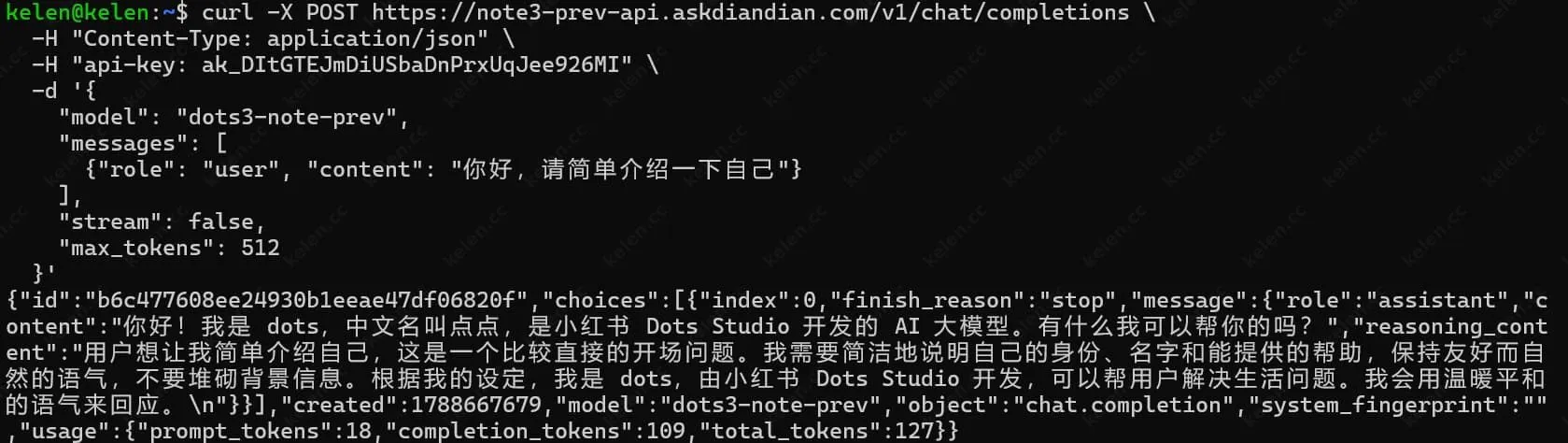
Once you verify a valid response, proceed with configuring your third-party clients.
2. Python (OpenAI SDK)
from openai import OpenAI client = OpenAI( api_key="placeholder", # Bypasses standard Authorization base_url="https://note3-prev-api.askdiandian.com/v1", default_headers={"api-key": "YOUR_ACTUAL_API_KEY"}) response = client.chat.completions.create( model="dots3-note-prev", messages=[{"role": "user", "content": "Hello"}], max_tokens=1024)print(response.choices[0].message.content)3. Cherry Studio
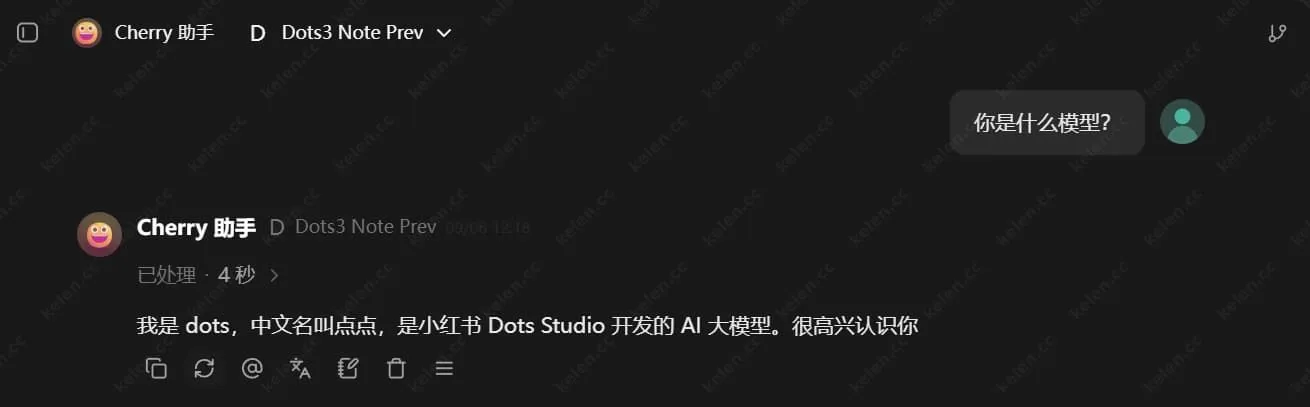
- Open "Settings → Model Providers".
- Add a custom provider and select "OpenAI Compatible".
- Set the API Base URL to:
https://note3-prev-api.askdiandian.com - Enter your API Key in the API Key field.
- Manually add the model name:
dots3-note-prev
Best Practices & Tips
- As this is a preview release, performance and stability are actively iterating and may vary depending on task complexity.
- Ideal for exploring 512K long-context and multimodal tasks; not recommended for mission-critical production environments yet.
- Keep your API Key secure—never commit it to public repositories or expose it in frontend builds.
- If you encounter a 401 Unauthorized error, verify first that your custom header is set to
api-key. - Multimodal inputs (images/videos/audio) follow standard official formatting conventions.
Overall, onboarding is straightforward. The non-standard auth header is the primary catch to watch out for. Running a quick cURL verification first will save troubleshooting time later.