Almost every frontend developer is using AI Coding Agents these days. Tools like Cursor, Claude Code, and Codex deliver an undeniable productivity boost. But one nagging issue remains: while the code runs fine, the resulting UI looks cookie-cutter, generic, and distinctly cheap.
Default Inter fonts, predictable purple gradients, cards nested inside cards, springy easings everywhere, and gray text sitting awkwardly over colored backgrounds—these telltale AI quirks show up so often that many developers start questioning whether AI can ever produce truly polished, high-end interfaces.
I’ve tested practically every design-related skill I could get my hands on. Some offer nothing more than vague aesthetic advice; others yield underwhelming results once installed. In the end, only four actually earned a permanent spot in my daily workflow.
Impeccable: The Most Reliable Fix for the Generic AI Look
Official website: impeccable.style. The site itself feels like it was crafted directly using this skill—its distinct visual identity speaks for itself.
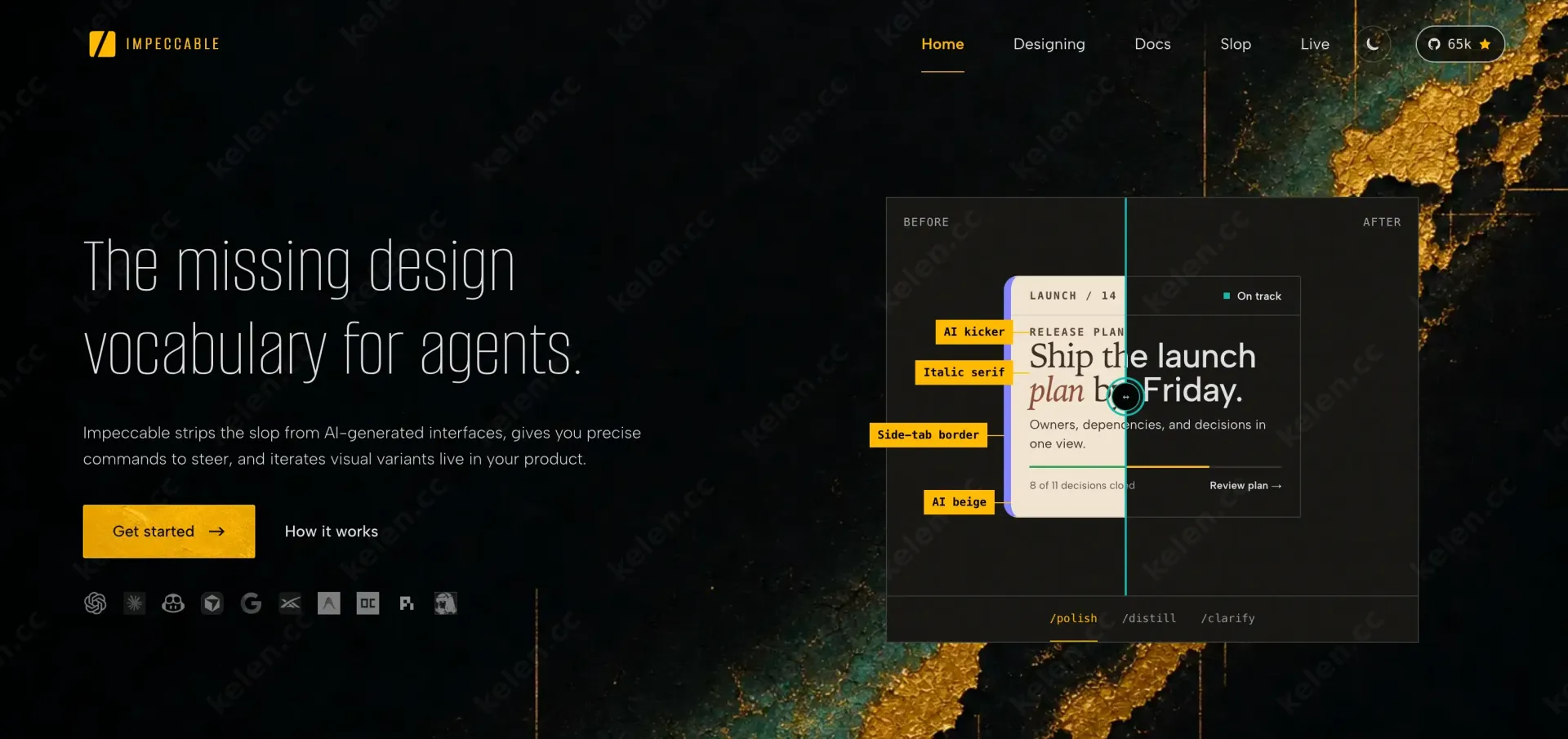
This is currently my most frequently used skill. Instead of simply feeding the LLM generic prompts like "please make it look more modern and premium," it establishes an entire structured workflow.
Once installed, run /impeccable init. It generates PRODUCT.md and DESIGN.md, defining product positioning, target audience, brand tone, color palettes, typography, and component conventions. Every subsequent command references these ground-truth files.
It provides a concrete set of action commands: polish, audit, critique, distill, animate, typeset, bolder, and quieter. You no longer have to waste time explaining how to elevate a page—just run /impeccable polish the pricing page or /impeccable distill, and the model instantly knows what to execute.
Crucially, it comes baked with deterministic audit rules targeting the default mistakes AI models make most often. In many cases, you don’t even need to spot the flaws yourself—it flags them proactively.
If you can only install a single AI design skill, make it this one. When it comes to scrubbing that cheap AI look from generated UIs, it is easily the most consistent tool available.
Installation:
npx impeccable installSkills for Design Engineers: Refined Taste and Nuanced Decisions
emilkowalski/skills is built by Emil Kowalski (formerly at Vercel, currently at Linear, and creator of Sonner and animations.dev). This skill pack is essentially a distillation of his years of high-end frontend design engineering expertise.
It excels at making the subtle yet pivotal calls: whether an entrance animation should use ease-out or ease-in, when to reach for a translucent shadow over a solid border, and where motion enhances the experience versus where it just feels tacky.
The core skill is emil-design-eng, which evaluates whether an animation is worth adding and whether its execution is spot on. The full suite includes:
- emil-design-eng: The flagship skill. Focuses on making animations feel natural and fluid, along with practical UI design critiques.
- animate: Builds an animation from scratch, picking the right timing curves, durations, and animated properties for you.
- review-animations: Audits existing animations against strict quality standards, flagging awkward transitions immediately.
- improve-animations: Scans your project's animations end-to-end and outputs prioritized recommendations ready for any AI to implement.
- find-animation-opportunities: Pinpoints areas in your UI where adding motion delivers high ROI, while warning you where to leave things static.
- prototype: Generates multiple distinct variations of the same component on the fly so you can compare and pick the best one.
- animation-vocabulary: Teaches you precise terminology to describe motion, making it much easier to prompt AI accurately.
- apple-design: Translates Apple's WWDC interface and motion guidelines into practical web development patterns.
- pick-ui-library: Guides component library choices based on vetted, battle-tested options, preventing AI from hallucinating ad-hoc components or pulling in dead packages.
Where most skills merely prompt the model to "be polished," this one teaches the model what genuine polish actually looks like. It solves for taste, not just raw execution.
Installation:
npx skills@latest add emilkowalski/skillstransitions.dev: Production-Ready Micro-Interactions
transitions.dev is laser-focused on one thing: high-frequency micro-interactions.
It packages common interaction patterns—card resizes, number pop-ins, notification badges, modals, dropdowns, icon swaps, and skeleton reveals—into plug-and-play CSS snippets, with full prefers-reduced-motion support built right in.
The workflow is frictionless. You just say "apply the transitions.dev modal transition" or "add a number pop-in to this metric," and the AI drops in tested, reliable CSS rather than hallucinating a half-baked transition.
If you want to instantly improve the tactile feel of your UI without writing custom bezier curves from scratch every time, this saves massive amounts of effort. It delivers genuinely production-ready CSS transitions out of the box.
Installation:
npx skills add Jakubantalik/transitions.devGSAP Skills: Complex Animations and Timeline Orchestration
GSAP Skills is the official skill repository maintained by GreenSock. While the previous tools handle general design and micro-interactions, this handles heavy-duty, complex animations.
It covers core APIs, Timelines, ScrollTrigger, various plugins, along with idiomatic integration and cleanup patterns for React and Vue. Whenever you need multi-step timeline choreographies, scroll-driven narratives, or performance-critical animations, it prevents AI from generating clunky, unoptimized code.
Installation:
npx skills add https://github.com/greensock/gsap-skillsA Battle-Tested Workflow
For a new project, start by running Impeccable's init to set up baseline design tokens and constraints. As you build out screens, rely on Impeccable to maintain visual direction and strip away default AI habits.
When you need standard micro-interactions, delegate them directly to transitions.dev. When dealing with complex timelines or scroll-linked sequences, bring in GSAP Skills. Once a feature is assembled, run Emil's review-animations or Impeccable's critique and polish commands for a final pass.
Each of these skills targets a distinct layer of the stack with minimal overlap. Loading your agent with dozens of vague, catch-all design skills only confuses the model. What actually works are specialized tools built around concrete problems and clear evaluation criteria.
Summary
After extensive testing, these four are the only design skills that have earned a permanent place in my workflow. They won't magically turn an AI into a world-class designer overnight, but they will systematically eliminate cheap defaults and bad design decisions—making your final deliverable look deliberately crafted rather than machine-generated.
If you're building frontends with AI, start with Impeccable. Install it, run a single polish pass on any page, and you'll immediately see the difference.