Many people use Cloudflare just as a "free DNS + CDN." But if you only use it for domain resolution and acceleration, you're leaving a whole suite of free Serverless tools idle.
Today, let's introduce the core capabilities of Cloudflare, a Workers deployment tutorial, and a few useful open-source projects you can deploy directly, making it easy to set up small applications quickly.
Platform Positioning Now
The Cloudflare developer platform roughly splits into the following five functional modules:
- Compute: Workers, run JS/TS/Wasm at the edge, handle HTTP, Webhooks, APIs, SSR, etc.
- Storage: R2 object storage, D1 serverless SQLite, KV global key-value store.
- Communication: Email Routing for receiving and forwarding emails, plus the ability to bind a Worker to process incoming emails.
- AI: Workers AI for edge inference (text, voice, image).
- Others: Pages static hosting, WAF, DNS, SSL, Images, etc.
The most practical combination for personal projects is usually Workers + one type of storage, optionally adding AI or email based on the situation. Many lightweight things no longer need renting a VPS.
What are Workers
Workers is Cloudflare's edge computing platform.
Simply put, it runs your code directly on Cloudflare's globally distributed edge nodes, not on some traditional server.
Cloudflare's free plan offers 100,000 requests per day. The primary development languages are JS/TS, and it also supports WebAssembly, Python, Rust, etc. Anything that can run in a browser can run in a Worker, which is basically sufficient for personal projects.
Workers Bundle Size Limit Relaxed to 64 MiB
Starting September 4, 2026, the code size limit for Workers is uniformly changed to uncompressed size ≤ 64 MiB, same for free and paid plans.
Previously, it was 3 MB (free) / 10 MB (paid) based on compressed size. Now, gzip is only a reference and no longer blocks deployment. Frameworks with many dependencies like React, Astro, Remix, and Hono can now be deployed on the free tier, making it a breeze to deploy a frontend project for free.
Note: If your frontend project is large after bundling, it may affect cold start parsing time, so you still need to control the overall code size.
You can check the uncompressed file size with the following command:
wrangler deploy --outdir bundled/ --dry-runWorker Beginner Tutorial
Deploying the simplest Cloudflare Worker (Hello World) takes just a few minutes. If you already know how to deploy, you can skip this section.
Prerequisites
Node.js installed on your computer (18 or higher recommended)
Method 1: Fastest Deployment via Command Line (Recommended)
Command line is my go-to method. No need to click around the dashboard, and you can edit in your IDE. Just open a terminal and run the following commands, assuming this project is named my-worker:
npm create cloudflare@latest -- my-woker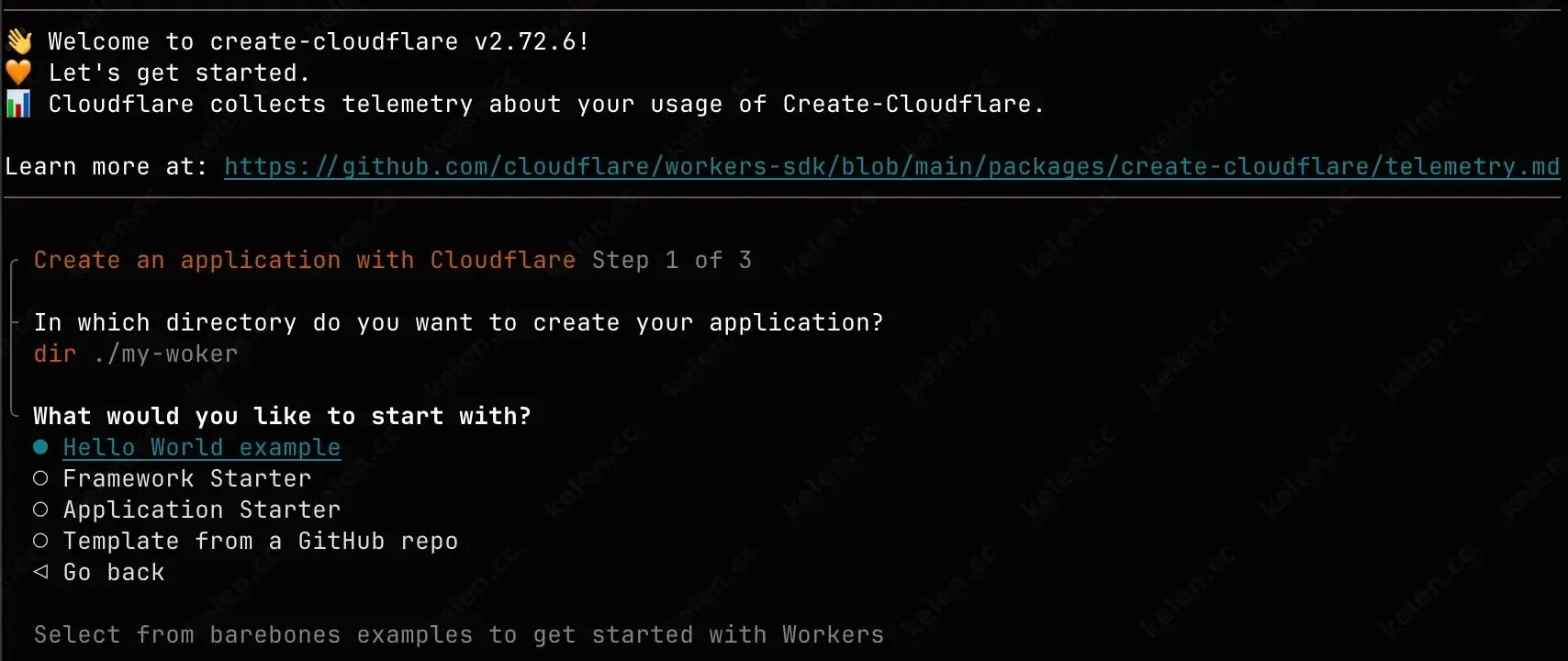
Then follow the prompts:
- What would you like to start with? →
Hello World example - Which template would you like to use? →
Worker only - Which language do you want to use? →
JavaScript(or TypeScript) - Do you want to add an AGENTS.md file to help AI coding tools understand Cloudflare APIs? →
Yes - Do you want to use git for version control? →
Yes(recommended) - Do you want to deploy your application? → You can choose
Nofor now and deploy later.
Enter the project directory:
cd my-workerRun the following command for local preview:
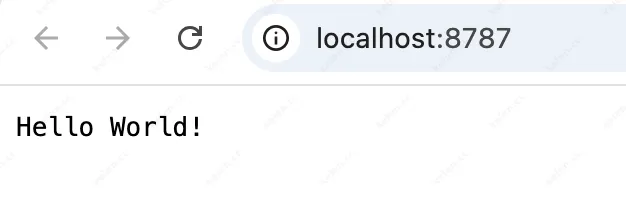
npx wrangler devYour browser will automatically open a local address, and you'll see the page displaying "Hello World!".
Then deploy globally:
npx wrangler deployNote: The first run will ask you to log in to your Cloudflare account, and after authorization, it will deploy automatically.
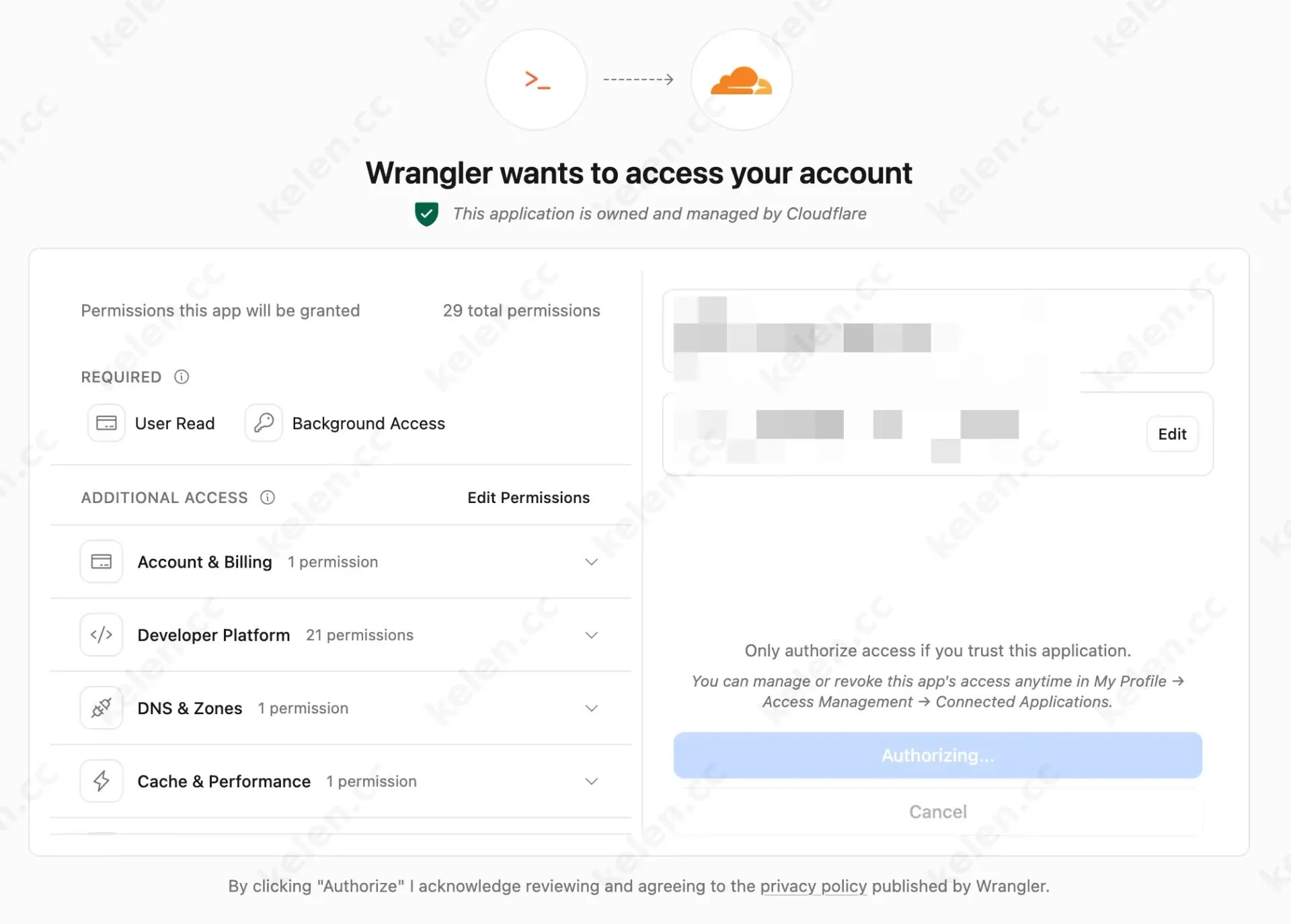
After successful deployment, the terminal will give you an address like this:
https://my-worker.your-name.workers.dev
Open that address to see the result. Here's my demo link: https://my-woker.340443366.workers.dev/
Method 2: Web Console Creation
If it's just a simple proxy or service, the web version is fine and suitable for beginners.
- Log in to the Cloudflare console.
- Go to Workers & Pages on the left.
- Click Create application.
- Select Create Worker.
- Click Deploy directly.
After a few seconds, you'll get an accessible *.workers.dev address.
Then you can click Edit code to modify the code online.
The simplest Worker code looks like this:
export default { async fetch(request, env, ctx) { return new Response("Hello World!"); },};That means: for any request, return "Hello World!".
Common Wrangler Commands
| Command | Purpose |
|---|---|
npx wrangler dev |
Local dev preview |
npx wrangler deploy |
Deploy to production |
npx wrangler tail |
View real-time logs |
Free Tier Limits
Data is from the official pricing page; actual limits shown in the console take precedence:
| Product | Free Tier Limits | Common Overages |
|---|---|---|
| Workers | 100k requests/day, 10ms CPU per request, 128MB memory, up to 100 scripts | High concurrency, long CPU, batch tasks |
| R2 | 10GB storage/month, 1M Class A operations, 10M Class B operations | High-frequency uploads/lists, large public downloads |
| D1 | 1GB storage, 5M rows read/day, 100k rows write/day | Full table scans, high-frequency writes, complex joins |
| KV | 1GB storage, 100k reads/day, 1000 writes/day | Frequent writes, strongly consistent scenarios |
| Email Routing | Inbound forwarding free (domain NS on CF), 200 rules per domain | Bulk sending, full IMAP, large attachments |
| Workers AI | Metered per model/inference, has trial credits | High-frequency transcription, large-context LLMs |
From my experience, personal use plus low-frequency projects with a few friends is generally sufficient. For high-frequency calls like public registration, file sharing, or AI demos, you'll likely need to consider the paid plans starting at $5/month.
What You Can Actually Do
Below are some excellent CF projects from the community; I suggest bookmarking them for future development needs.
File & Media Management
CloudFlare-ImgBed
Unified file management, supports R2, Telegram, Discord, S3, WebDAV, etc., with a web admin interface. The 10GB R2 tier is usually enough for a personal image hosting.CloudPaste
Serverless file and text sharing, password protection, Markdown, burn-after-reading, supports S3, OneDrive, WebDAV.cf-drop
Cross-device temporary file transfer, password protection, multi-file download, mobile-friendly, data stored in R2 + D1.
Security & Privacy
- ZeroLink
End-to-end encrypted secret sharing, server can't see plaintext, no registration needed. Pure Worker + KV, runs on the free tier.
Content & Knowledge Management
memos-worker
Lightweight notes, supports Markdown, attachments, tags, public sharing, and Telegram, enough for a personal knowledge base.microfeed
Content publishing platform for articles, images, podcasts, videos, auto-generates website, RSS, and JSON Feed.CloudNav
Personal navigation page, Chrome extension, bookmark sync, AI description completion, supports WebDAV backup.
Productivity & Automation
cloudflare_temp_email
Temporary email, uses Email Routing to receive mail, D1/KV for storage, supports attachments, IMAP/SMTP. Runs on the free tier with low traffic.GitPush
Tracks GitHub releases, uses Workers AI to generate summaries and email them.whisper_cloudflare
Whisper-based speech-to-text, runs on Workers AI, suitable for low-frequency use.
Scenarios Where Free Tier May Not Be Enough
Generally, it's sufficient for personal projects, but if you have the following needs, you'll likely need to consider paid plans:
- Daily requests far exceeding 100k, or long CPU per request (video processing, large model inference)
- High-frequency database writes (logging, analytics, public UGC)
- High-frequency distribution of large files
- Full email system (needs email storage, IMAP, anti-spam)
- Strongly consistent transactions, complex multi-table joins (D1 is for lightweight SQL, don't use it as a primary business database)
Pre-Deployment Checklist
- Estimate daily request volume, CPU per request, and whether you need long async tasks.
- Choose storage: use KV for read-heavy/write-light, D1 for relational queries, R2 for large files.
- Bind services in
wrangler.toml, run dry-run to check bundle size. - Add indexes in D1 to avoid full table scans; rate-limit R2 uploads; batch KV writes when possible.
- For email projects, test inbound forwarding first; for bulk sending, use paid or third-party SMTP.
- For AI projects, add daily call limits, cache results, and implement error degradation.
- Check the official pricing page monthly for usage.
FAQ
Q: What's the max code size for free Workers?
As of 2026-09-04, the limit is uniformly ≤64MiB uncompressed, same for free and paid. The old compressed 3MB/10MB limits are gone.
Q: Is the free R2 tier enough for a personal image hosting?
Yes for low traffic. Free 10GB storage + 1M Class A / 10M Class B operations per month. For high-concurrency public downloads, count the operation numbers.
Q: How to choose between D1 and KV?
Use D1 for structured queries and conditional filtering; use KV for global read-heavy, write-light configuration caching. Note KV free writes are only 1000/day.
Q: Can a temporary email be completely free?
Inbound forwarding and simple processing can be. Multi-user, attachments, or bulk sending will likely exceed limits.
Q: Is Workers AI free?
Not unlimited. It's metered per model/inference. You can try it for low-frequency personal prototypes, but for public high-call scenarios, you need to budget.
Summary
Cloudflare can now serve as a full-stack edge platform for individuals: Workers for compute, R2 for objects, D1 for relational data, KV for caching, Email Routing for mail, and Workers AI for inference. With the 64MiB bundle limit relaxed, deploying framework-based projects is much easier. But "can deploy" doesn't mean "free unlimited running"—request volume, CPU, write operations, and AI tokens are the real costs.
Low-frequency personal tools can be built at zero cost. For public products, estimate capacity based on official pricing first.