Recently while experimenting with LLM APIs, I discovered Peezy, an AI gateway platform that aggregates multiple mainstream models. It currently offers free call quotas for some models, with DeepSeek V4 Flash 0731 available for 500 calls every 5 hours, which is quite practical for individual developers and small projects.
Below I've compiled the relevant information and usage process for those who need it. If you find the quota insufficient, you can also try using others' public welfare sites. Check this article for Free LLM API Public Welfare Stations Collection - Get Started Now!
Free Models and Quotas
Currently, the platform offers free models mainly including:
| Model | Quota per 5 Hours |
|---|---|
| DeepSeek V4 Flash 0731 | 500 calls |
| MiniMax M3 | 200 calls |
| Poolside Laguna S 2.1 | 500 calls |
| MiMo V2.5 | Free (quota based on console display) |

Regarding quota calculation, one thing worth noting: Peezy uses a 5-hour rolling window instead of the traditional daily reset at midnight. This means the system tracks the total number of requests you've made in the past 5 hours, and the earliest batch of requests are automatically released after the window period. This approach is more friendly for developers with irregular usage patterns.
Note that the official quota values are estimates, and actual available calls may be affected by factors such as prompt length, output length, and whether tools are called.
Integration Steps
Visit peezy.p0.system to go to the registration page, which supports email registration and third-party account login such as GitHub.
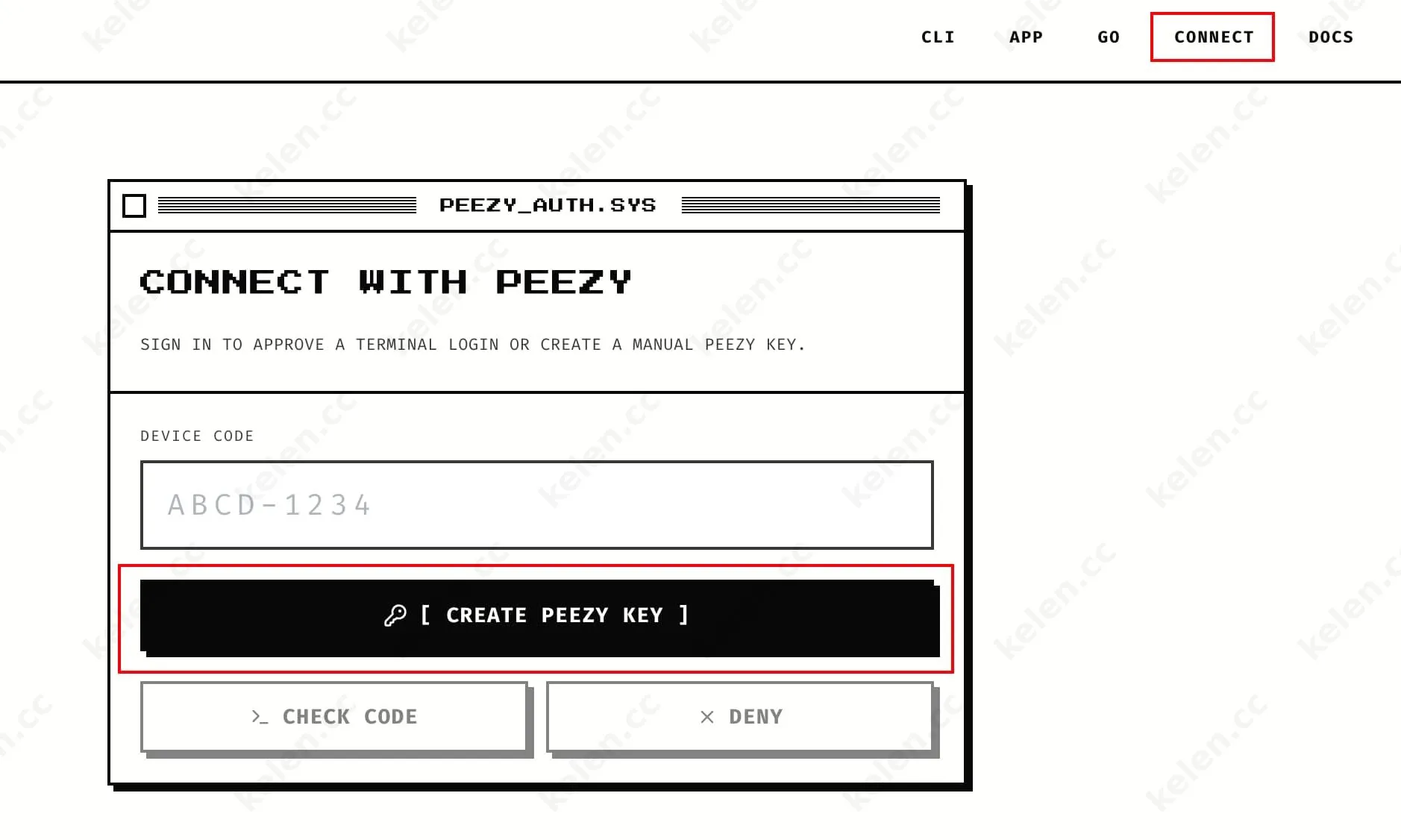
After logging in, go to the Connect page and click to create a key. The generated API Key will only be displayed once, so it's recommended to copy it to a secure location for storage.
Peezy provides OpenAI-compatible interfaces. For existing OpenAI SDK code, you only need to adjust two parameters:
Base URL:
https://api.p0.systems/api/agents/v1Model Name: e.g.,
deepseek-v4-flash-0731
Here's a runnable Python example:
from openai import OpenAI client = OpenAI( api_key="your_API_Key", base_url="https://api.p0.systems/api/agents/v1") response = client.chat.completions.create( model="deepseek-v4-flash-0731", messages=[ {"role": "user", "content": "Write a binary search function in Python"} ]) print(response.choices[0].message.content)If you need to use the Anthropic-format interface, the corresponding endpoint is
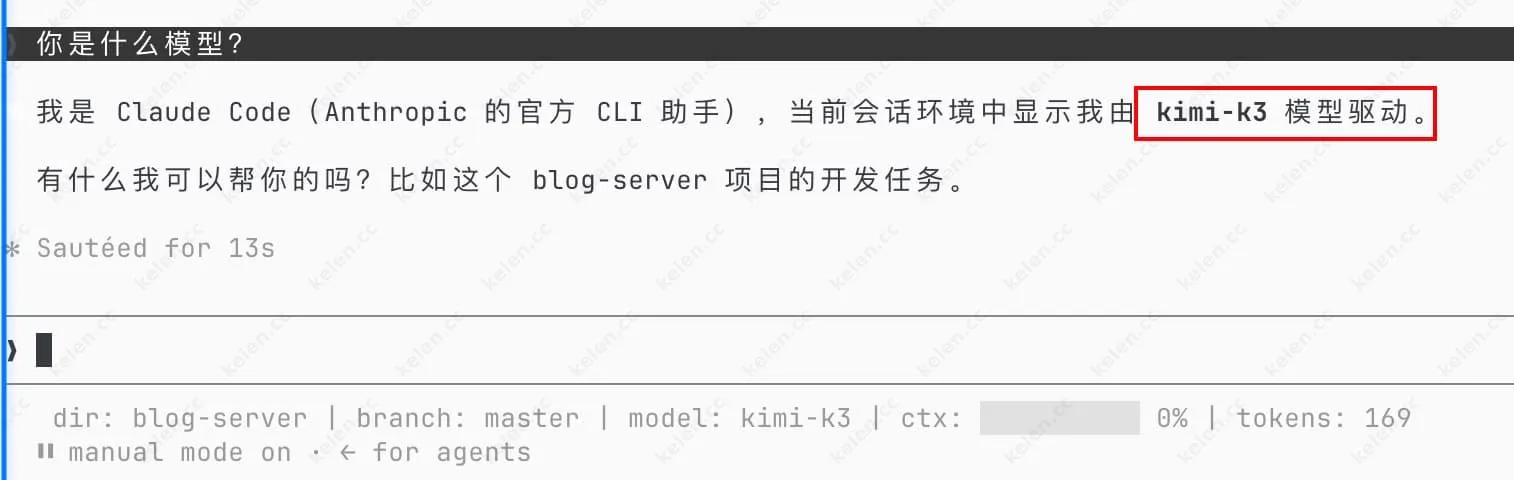
https://api.p0.systems/api/agents/v1/messagesWe tried integrating Claude Code, and as you can see, it actually works.
Additional Notes
Besides API calls, Peezy also offers command-line tools and desktop clients with built-in terminal coding agents, supporting multiple models such as GLM 5.2, Kimi K2.7 Code, and Tencent HY3. If you're accustomed to working in a terminal environment, you can directly install the client to experience it.
Free quotas don't require credit card binding and can be used immediately after registration. For scenarios exceeding the free quota, the platform also offers paid subscription plans, but this article focuses on the free portion. Interested readers can learn more on the official website.
Summary
Peezy's current free quotas are sufficient for prototype verification, learning and testing, and lightweight application development. Especially with DeepSeek V4 Flash 0731 offering 500 calls every 5 hours, it's quite generous compared to similar platforms. With low integration costs and good interface compatibility, it's worth adding to developers' tool checklists.